Short answer
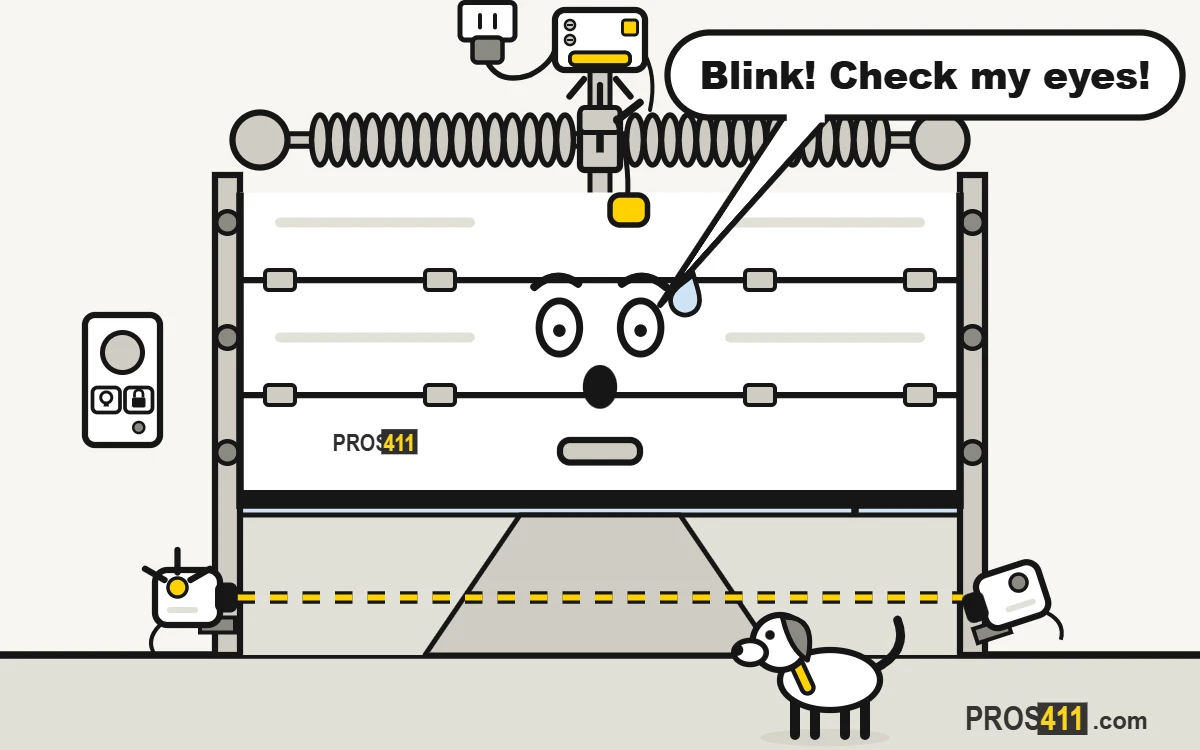
If your garage door opener light is blinking and the door won’t close, count the flashes. On many openers, 10 flashes means the safety sensors near the floor are blocked or out of line. Clear the path, wipe the lenses and aim them until both lights stay steady. Other counts are diagnostic codes. Find the model number on the motor and check the manual.
What a blinking garage door opener light means
1The door won’t close and the light blinks
The door starts down, goes back up, and the light on the opener flashes. The opener is telling you what is wrong.
Read all the steps
- The door won’t close and the light blinks. The door starts down, goes back up, and the light on the opener flashes. The opener is telling you what is wrong.
- Count the flashes. Watch the opener light, or the small light on the motor, and count. Write the number down: it is your clue.
- Ten flashes? Line up the safety sensors. On many openers, 10 flashes means the sensors near the floor can’t see each other. Clear the path, wipe the lenses and aim them until their lights stay steady.
- Another number? Look it up. Find the model number on the label of the motor. The manual or the brand’s website lists what each number of flashes means.
- Fixed: steady light, the door closes. Press the wall button and watch the door close. If the light keeps blinking after you fix the cause, call a technician.
- Still not fixed? Call a garage door company Especially if: the light keeps blinking after you clean and line up the sensors.
Garage doors near you
Share your location and we will show the nearest ones with their phone number.
Or pick your city:
Other reasons the light flashes
- The lock mode is on: on many models a light on the wall control blinks and the remotes stop working.
- A timer to close is set: some openers flash and beep before they close the door on their own.
- The opener found a problem with the motor or its travel: the flashes are a diagnostic code.
What not to do
- Do not unplug the sensors or tape over them to stop the blinking.
- Do not open the motor cover to look for the problem.
- Do not press the button over and over. Count the flashes instead.
When to call a garage door technician
- The light keeps blinking after you clean and line up the sensors.
- The flash code points to the motor, the circuit board or the travel system.
- A sensor or its wire is damaged.
- The door moves in jerks or stops on its own.
Frequently asked questions
Why is my garage door opener light blinking?
Most often the safety sensors near the floor are blocked or out of line, so the door won’t close. Other flash patterns are diagnostic codes that point to a specific problem.
What does it mean when a garage door opener light flashes 10 times?
On many openers, including LiftMaster and Chamberlain, 10 flashes means a problem with the safety sensors. Clear the path, clean the lenses and line them up until both sensor lights are steady.
How do I find my garage door opener’s error code?
Count the flashes of the opener light or the small light on the motor. Then look up that number in the manual or on the brand’s website, using the model number on the motor label.
How do I stop my garage door opener light from blinking?
Fix the cause the flashes point to. For sensor flashes, clear the path, wipe the lenses and line them up. The blinking stops once the door closes normally.
Can I still use my garage door if the opener light is blinking?
On many models you can close it by holding the wall button and watching it the whole time. But the blinking means a safety system needs attention, so fix it soon.